.png)

Why Your Home Office is a Hacker’s Playground (and How to Stop Them)
Hey there! Ever thought about how your cozy home office might be a tempting target for cybercriminals? With the rise of remote work, many of us have swapped our office desks for home setups. While this shift offers flexibility, it also opens the door to various cybersecurity risks. Let’s chat about why home offices attract hackers and how you can protect yourself.
The shift to remote work isn’t just a trend—it’s here to stay. A 2023 study by Stanford University found that 58% of U.S. workers now work remotely at least part-time. But here’s the kicker: 67% of remote workers admit they’ve never received formal cybersecurity training. This gap makes home offices a goldmine for hackers. Let’s dig into the risks and arm you with practical solutions.
The Lure of Home Offices for Hackers
Imagine your home Wi-Fi as a fortress. In many cases, it’s not as fortified as the corporate networks we used to rely on. Hackers know this and see home offices as low-hanging fruit. Personal devices, often shared among family members, might lack the security measures found in office equipment. This combination makes it easier for cybercriminals to sneak in and cause trouble.
Why Hackers Love Home Offices:
Weak Network Security: Most home routers use outdated firmware or default passwords (like “admin” or “password”). Hackers can exploit these gaps to infiltrate devices.
Mixed-Use Devices: Your laptop might switch between streaming Netflix, helping kids with homework, and accessing sensitive work files. This mix increases the risk of accidental data exposure.
Lack of IT Support: At the office, IT teams monitor threats 24/7. At home? You’re your IT department—and hackers know it.
Common Cyber Threats Targeting Remote Workers
Let’s break down some of the typical threats remote workers face:
- Phishing Attacks - Ever received an email that seemed off? Cybercriminals often send deceptive messages to trick you into revealing personal information. For example, a fake “Zoom meeting invite” could lead to a malware-infected link. How to Spot Phishing:
- Check sender email addresses for typos (e.g., “support@amaz0n.com”).
- Hover over links to see the actual URL before clicking.
- Never share passwords or financial details via email.
- Malware and Ransomware - Downloading software from untrusted sources can introduce harmful programs to your system. Ransomware, like the infamous WannaCry attack, encrypts your files and demands payment for decryption. Stay Safe:
- Use reputable antivirus programs (e.g., Norton, McAfee).
- Avoid pirated software—stick to official app stores.
- Back up files regularly to an external drive or cloud service.
- Weak Password Practices - Using simple or repeated passwords across different platforms is like leaving your front door unlocked. A 2024 report by Verizon found that 81% of data breaches stem from weak or stolen passwords. Password Tips:
- Create passwords with 12+ characters, mixing letters, numbers, and symbols.
- Use a password manager like LastPass or Dashlane to store credentials securely.
- Enable multi-factor authentication (MFA) wherever possible.
- Unsecured Home Wi-Fi Networks - Many people stick with the default settings on their home routers, which can be a security risk. How to Secure Your Wi-Fi:
- Change the default router password to something unique.
- Enable WPA3 encryption (the latest standard for Wi-Fi security).
- Hide your network name (SSID) to make it harder for hackers to target.
- Lack of Regular Software Updates - Ignoring software updates is like skipping regular maintenance on your car. Outdated software can have vulnerabilities that hackers exploit. Pro Tip:
- Turn on automatic updates for your OS, apps, and antivirus software.
- Patch critical vulnerabilities ASAP—delaying updates increases risk.
- Use of Personal Devices for Work - Mixing personal and work activities on the same device can expose sensitive work data. Best Practices:
- Use a separate device for work (if possible).
- Install a VPN to encrypt internet traffic.
- Enable device encryption (e.g., BitLocker for Windows, FileVault for Mac).
- Inadequate Employee Cybersecurity Awareness - Not everyone is a tech expert, and that’s okay. However, being aware of basic cybersecurity practices is essential. Training Tips:
- Attend free webinars (e.g., Google’s Cybersecurity Certificate).
- Practice spotting phishing emails with tools like PhishMe.
- Share security tips with family members using shared devices.
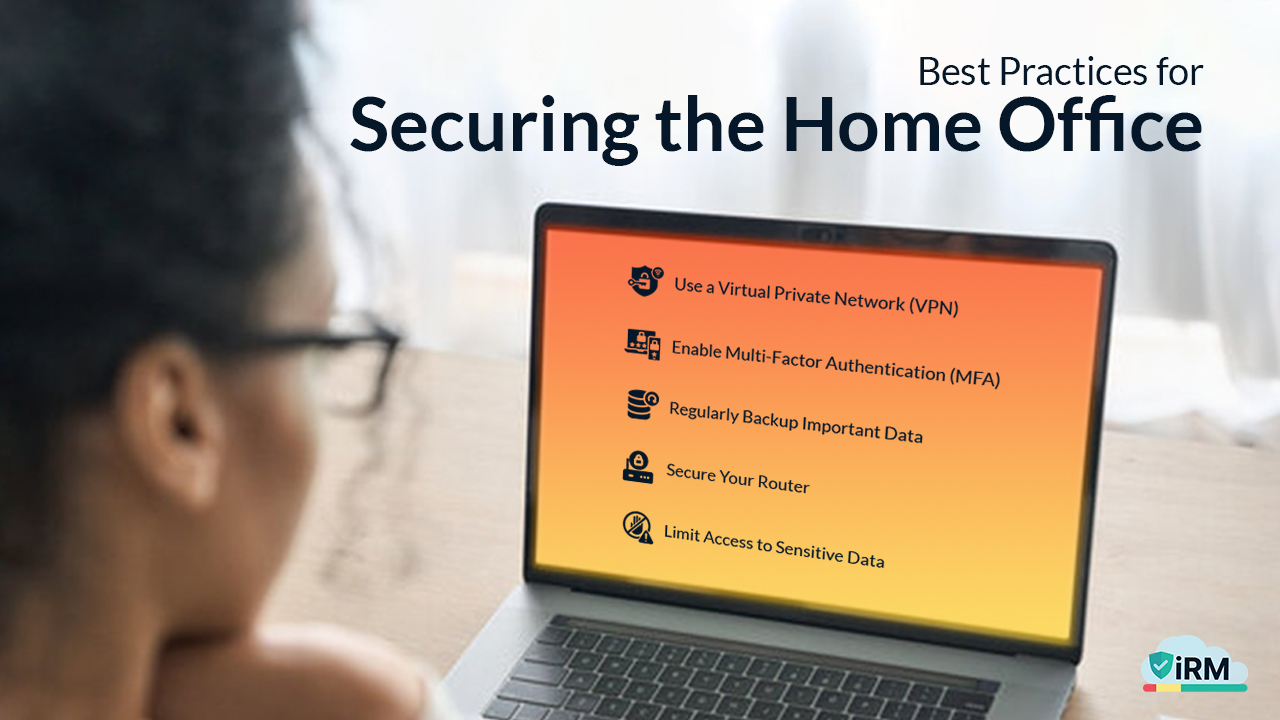
Best Practices for Securing the Home Office
Here are some straightforward steps to boost your home office security:
1. Use a Virtual Private Network (VPN) - A VPN creates a secure connection between your device and the internet, masking your IP address and encrypting data. Popular options include NordVPN and ExpressVPN.
2. Enable Multi-Factor Authentication (MFA) - MFA adds an extra layer of security by requiring multiple forms of verification (e.g., a password + SMS code). Apps like Google Authenticator or Authy are great for this.
3. Regularly Backup Important Data - Backups ensure you can recover your information in case of a cyber incident. Use the 3-2-1 rule:
- Keep 3 copies of your data.
- Store them on 2 different mediums (e.g., cloud + external drive).
- Keep 1 copy offsite (e.g., cloud storage).
4. Secure Your Router:
- Disable remote management features.
- Set up a guest network for visitors.
- Use a firewall to block unauthorized access.
5. Limit Access to Sensitive Data - Only share work files with authorized colleagues. Tools like Microsoft Teams or Google Drive let you set permissions for shared folders.
A Close Call
Meet Sarah, a remote marketing manager. One evening, she clicked a “Netflix subscription renewal” link in an email. Within minutes, her laptop froze, and a ransom note appeared demanding $500 in Bitcoin. Thankfully, Sarah had backed up her files and avoided paying the ransom.
Her takeaways?
- Always verify unexpected emails.
- Never click suspicious links.
- Back up data religiously.
Working from home offers many benefits, but it’s essential to be aware of the cybersecurity risks involved. By taking proactive steps—like securing your Wi-Fi, using strong passwords, and staying vigilant—you can protect your home office from becoming a hacker’s playground.
Want to learn more about securing your remote work environment? Reach out to iRM today for expert advice, tailored solutions, and training programs to keep your home office safe. Let’s turn your workspace into a cybersecurity fortress!